






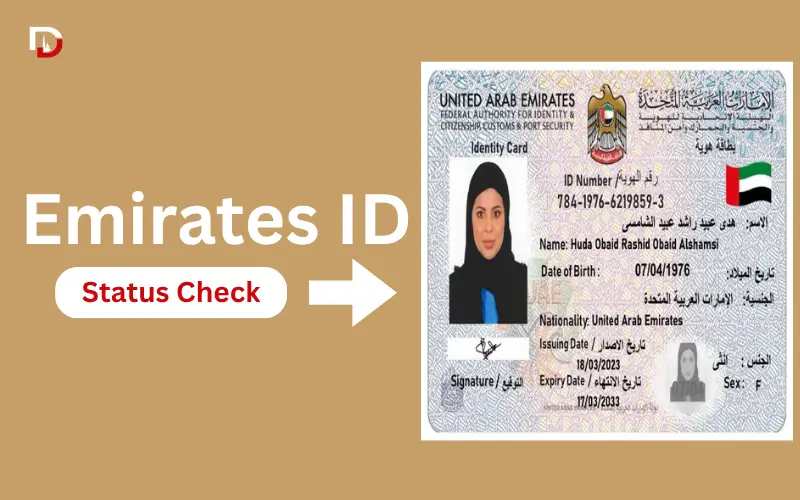
Want to know if your Emirates ID has been approved, printed, or is ready to be delivered? An Emirates ID status check allows residents to quickly track their identity card application, renewal, or replacement progress online through ICP Smart Services. Using details like your PRAN, Emirates ID number, or passport information, you can view the latest updates without visiting a service centre and also access related services such as Emirates ID tracking and fine checks.
Quick Facts About Emirates ID Status Check
| Information | Details |
| Official Service Provider | ICP Smart Services |
| Main Checking Methods | PRAN, Emirates ID number, passport details |
| Mobile Option | UAEICP Smart Services App |
| Used For | New applications, renewals, replacements |
| Status Examples | Under Process, Approved, Printed, Dispatched |
| Support Number | ICP Helpline 600 522222 |
What Is an Emirates ID Status Check?
This Emirates ID status check indicates the status of an Emirates ID application in the ICP system. It lets applicants know if their card is still in the process or if it has been printed and sent.
The service can be helpful for:
- New Emirates ID applications
- Emirates ID renewals
- Replacement cards
- Applications waiting for completion
Applicants can avail ICP services instead of waiting for updates to see the progress of their credit card and if there is anything that they need to do.
How to Check Emirates ID Status Online
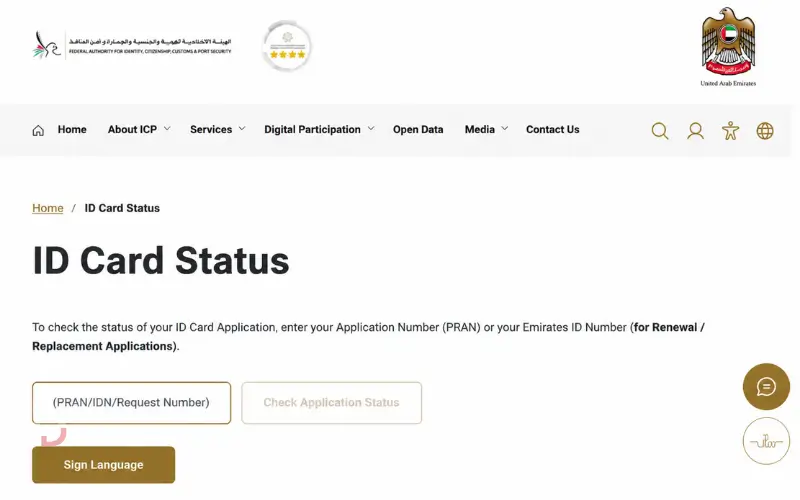
The most convenient way to conduct an Emirates ID status check is on the ICP Smart Services website. Applicants can verify the status of their Application by filling in the required details.
Steps to Check Emirates ID Status:
- Open the ICP Smart Services website.
- Select the Emirates ID or Identity Card status service.
- Enter your required details, such as PRAN or Emirates ID number.
- Submit the information.
- Review the current application status shown on the screen.
The online approach can be utilized for a variety of applications, including new cards, renewals, and replacements.
Must Read: Etihad Water and Electricity Bill Check
How to Check Emirates ID Status With Passport Number
For those who have not yet received their Emirates ID number, they are looking for information on how to checkEmirates IDd status with their passport number.
Steps:
- Visit the ICP Smart Services platform.
- Choose the passport information option.
- Enter passport details and other required information.
- Submit the request.
- Check the available application update.
This is a way for new applicants to track their application status until they receive their Emirates ID card in person.
How to Track Emirates ID Through the UAEICP App
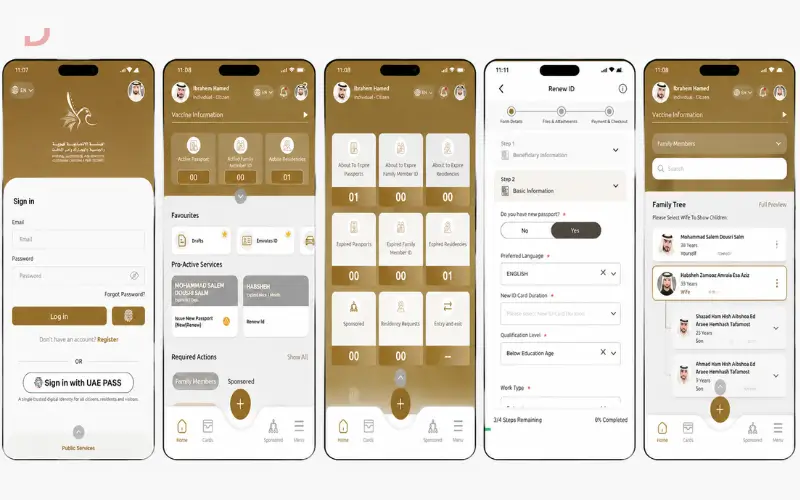
Those who prefer to access the services using their mobile devices can also use the UAEICP Smart Services app.
The users can track their Emirates ID through the app as follows:
- Download the UAEICP Smart Services app.
- Open the identity card services section.
- Enter PRAN, Emirates ID details, or available application information.
- View the latest status update.
If users often checked on the progress of the applications and preferred to use mobile services over web-based searches, the app would be helpful.
Emirates ID Status Labels Explained
Once you have been through an Emirates ID status check, you will typically see a status update for your application. For applicants, it is important to know what these labels indicate to know if they should wait or do more.
| Status | Meaning |
| Under Process | The application has been received and is currently being reviewed by ICP. |
| Biometrics Required | Fingerprint, photo, or biometric steps are still pending. |
| Approved | The application has been accepted and moved forward for card production. |
| Printed | The Emirates ID card has been printed and is moving toward delivery. |
| Dispatched | The card has been handed over for delivery. |
| Ready for Collection | The card is available for pickup from the selected service location. |
If your status remains unchanged for an unusually long period, check that all required steps have been completed. Missing documents, pending biometrics, or incorrect information can delay processing.
Must Read: DEWA Bill Check
Emirates ID Tracking: How to Follow Your Card Progress
A lot of applicants enquire about how to keep tracking emirates id after they apply for a new or renewal ID. The residents can track their Emirates ID from the application to delivery with Emirates ID tracking.
Your card may be tracked via:
- ICP Smart Services website
- UAEICP Smart Services mobile application
- Customer service agents, specialists, and representatives
Ensuring that your PRAN or Emirates ID information is easily accessible is going to make it easier for you to track it the next time you need to and will help you identify any changes promptly.
Emirates ID Fine Check
In an Emirates ID fine check, residents can determine if they have any outstanding fines for late renewal or expired identity documents.
It’s worthwhile to verify the fines before renewing an Emirates ID, as there might be unpaid fines that require clearing before finishing some services.
How to Check Emirates ID Fine
To check the Emirates ID fine, here are some general steps you should follow:
Log in to the ICP Smart Services platform.
- Go to the appropriate fines or payment service.
- Input your Emirates ID information or any identification that you have.
- Submit the request.
- Check any balance due listed.
Those who wish to know how to check a fine on Emirates ID can access the official ICP digital services for checking the fine information and making payment using an accepted payment method.
Must Read: FEWA Bill Check
Emirates ID Late Renewal Fine Amount
The late fee for renewals will be based on ICP rules and circumstances. Before assuming penalties, residents should always check the most up-to-date fee information via official ICP channels. When an Emirates ID fine check shows a fine, users should look at the reason for the fine and pay it if necessary.
There’s no need to go into detail about how they can be unexpected, as their common causes are:
- Renewal submitted after expiry
- Failure to renew the necessary updates
- Delayed biometric completion
- Expired related documents
You can avoid unnecessary delays and extra fees by checking your status early.
Why Is Emirates ID Status Not Updating?
Sometimes users complete an Emirates ID status check but do not see any new update. Not all the time is there a problem. If you use some applications, you may need more processing time.
Common reasons include:
1. Biometrics Are Pending
The application may be held in a previous level if fingerprint/photo requirements are missing until the biometric steps are taken.
2. Recent Application Submission
There may be a delay before updates are seen in the new application or renewal. Check again after a bit to see if it’s processed.
3. Incorrect Information Entered
The system may not be able to locate your application if you provide the wrong PRAN, Emirates ID number, Passport number, or Date of Birth.
4. Document Issues
Application movement can be delayed due to expired passports, incomplete information, or a lack of requirements.
5. System Processing Delay
Occasionally, an application is moving around internally, but the online status hasn’t been updated. If this does not change for a prolonged period, please reach out to ICP support with details of your application.
Common Mistakes That Delay Emirates ID Processing
Preventing common errors can help to streamline the Emirates ID process.
Common issues include:
- Incorrect input of identification numbers
- Not walking on the sidewalk in the designated direction
- Not following the requirements for document updates
- Not keeping the card in a safe place
- Failing to read every word in an application
Frequent Emirates ID tracking improves the chances for the applicant to identify issues in the early stages and take prior action to prevent delays from occurring.
Must Read: SEWA Bill Check
Conclusion
An Emirates ID status check is the simplest and quickest method to keep track of your identity card application, renewal, or replacement. Using ICP Smart Services esidentsts can see progress, status labels, check delivery, and read the fine information.
Having the right information, like PRAN, Emirates ID number, or passport details, also ensures that you won’t have to encounter search mistakes and will get the results quicker. Moreover, applicants can quickly find out about delays and take action to avoid unnecessary waiting by regularly monitoring. Always use official Emirates ID digital services and support channels for the most up-to-date information.
Must Read: UAE Driving License Complete 2026
Frequently Asked Questions
How to check the Emirates ID status?
The status of an Emirates ID can be checked via Emirates ID Smart Services with the PRAN, Emirates ID number, or passport information available, based on the application stage.
How to Check the Emirates ID Status with a Passport Number?
If you do not have an Emirates ID number, you can obtain it with the help of passport-based checking options provided through ICP services.
How to track the Emirates ID?
Emirates ID progress can be monitored using the available information in the application through the ICP website or the UAEICP Smart Services app.
How to check the Emirates ID fine?
To see any penalties that may be connected to your ID documents, use ICP Smart Services and then open the fine-checking option.
How to check the fine on the Emirates ID?
Fill in the ICP fines service and see the outstanding amount and options for payment.
Why is my Emirates ID status not updating?
A delay might be caused by pending biometrics, incompleteness of documents, incorrect information, or normal processing time.
Can I check Emirates ID status without an Emirates ID number?
Yes, in the early application stage, it is possible to use passport details for some applicants.
How long does Emirates ID processing take?
The processing time varies according to the type of application, document completion, and verification requirements.
Disclaimer: This article is for informational purposes only and does not represent official advice from ICP or any government authority.