






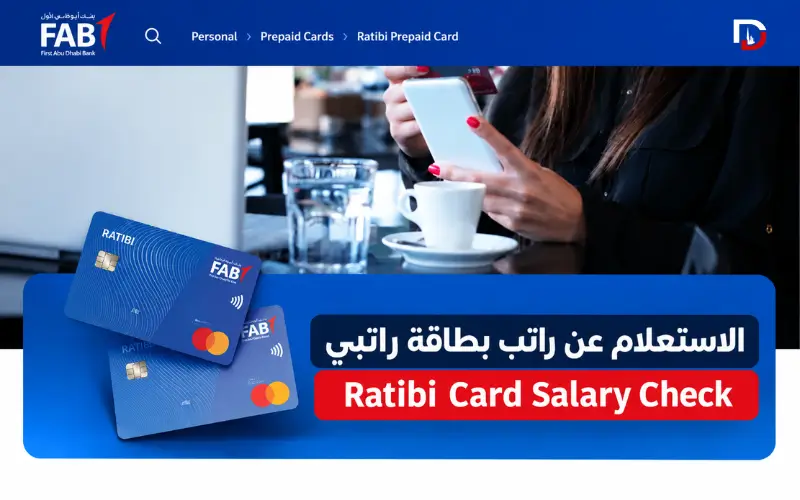
If your salary goes onto a Ratibi card, checking the balance is usually the first step when you need to pay a bill, buy groceries, or withdraw cash. FAB provides an online balance enquiry service through Magnati, and cardholders can also use supported ATMs. Payit offers balance-tracking features for eligible cards.
The right method depends on the service available to you and the details you have. The following sections explain how to check your balance, what to do when your salary does not arrive, and where to get help with a card problem.
Quick Facts
| Detail | Information |
| Issuing bank | First Abu Dhabi Bank (FAB) |
| Card type | Prepaid salary card |
| Intended salary group | Eligible employees earning up to AED 5,000 per month |
| Regular bank account required | No |
| Online balance enquiry | Magnati Prepaid Card Enquiry |
| Details needed online | Last four card digits, Card ID and CAPTCHA |
| Salary notification | Free SMS alerts when salary is credited |
| UAE support number | 600 522 298 |
| International support | +971 2 499 6279 |
Ratibi Balance Check Online
The Magnati Prepaid Card Enquiry portal is FAB’s online option for checking a Ratibi balance. You can access it from a phone or computer, so there is no need to visit a branch just to submit an enquiry.
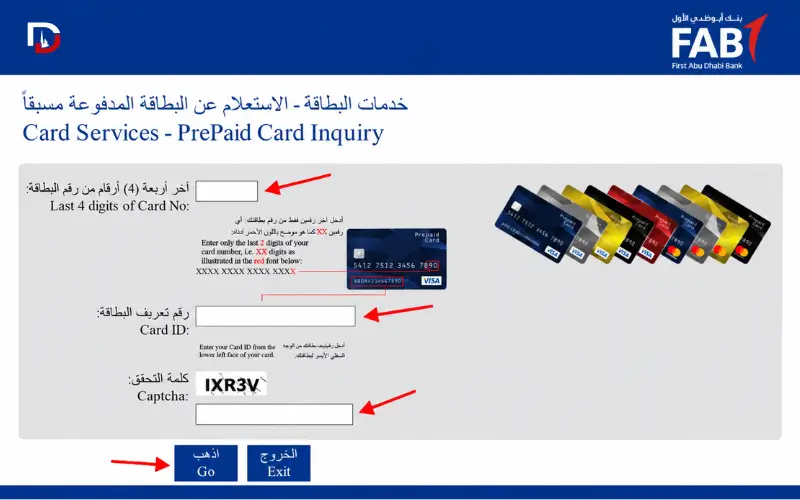
Open the official Magnati balance enquiry page to get started.
Steps to Check Your Balance
- Open the Magnati enquiry page.
- Find the field labelled Last 4 digits of Card No.
- Enter the final four digits of your Ratibi card number.
- Type your Card ID into the separate field.
- Enter the CAPTCHA displayed on the page.
- Select Go to submit the form.
- Read the result shown by the service.
The form asks for the last four card digits, not the complete card number. Keep your card nearby so you can enter the requested details accurately.
If the enquiry fails, check the information you entered before submitting it again. An unsuccessful result does not automatically mean that your card has been blocked.
Information Required for Online Checking
| Field | What to enter |
| Last 4 digits of Card No | The final four digits of your card number |
| Card ID | The separate identifier requested by the portal |
| CAPTCHA | The characters displayed on the screen |
The Card ID and card number are not the same. Each belongs in its own field, and entering one instead of the other can prevent the enquiry from working.
If you cannot find your Card ID, check the documents supplied with your card. Your employer’s payroll team or FAB can help you identify the correct details.
Do not use your PIN, CVV, or Emirates ID as a substitute. The enquiry form requests a specific identifier, and unrelated personal information will not resolve the problem.
Other Ways to Check Your Balance
You can use a supported ATM if you do not want to check online. Eligible Ratibi cardholders may also be able to track their balance through Payit. FAB’s salary-credit SMS alerts provide another way to confirm that wages have reached the card.
| Method | When to use it | What you need |
| Magnati portal | Checking your balance online | Last four card digits, Card ID and CAPTCHA |
| ATM | Checking your balance at a machine | Compatible ATM and card PIN |
| Payit app | Tracking your balance digitally | Eligible card and completed app setup |
| SMS notification | Confirming a salary credit | Active salary-alert service |
| Phone support | Resolving card or enquiry problems | FAB’s official support channel |
Check at an ATM
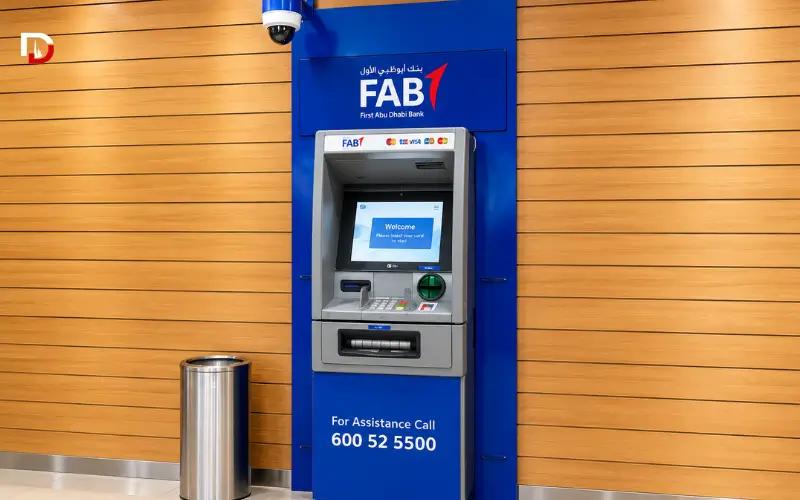
FAB provides access to its ATM and Cash Deposit Machine (CDM) network. Its Ratibi product information also states that cardholders can select their PIN at FAB ATMs.
To check your balance, insert the card into a compatible ATM and enter your PIN. Choose Balance Inquiry or the equivalent option on the screen, then read the amount displayed. If the machine offers a receipt, you can print one for your records.
ATM menus vary between banks, so the wording on your screen may differ. Check any displayed charges before confirming a transaction, particularly if you use another bank’s machine or withdraw cash outside the UAE.
FAB advertises free access to its own network. However, you should not assume that every ATM transaction is free, as fees can depend on the machine, transaction type, and card terms.
Check Through Payit
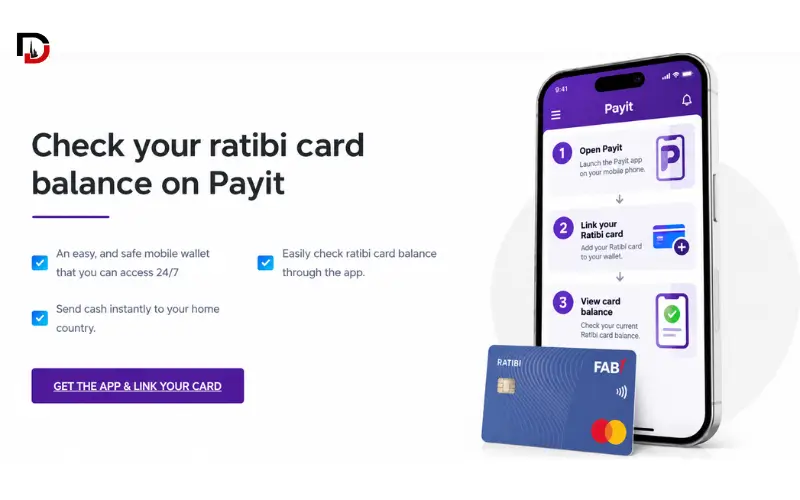
Payit is a digital wallet powered by FAB. It advertises balance tracking for eligible salary-card holders, although availability depends on the card and the services currently supported.
Visit the official Payit Ratibi page before setting up the service. Download the app from its official app-store listing, register,r and follow the instructions for linking your card.
If the app does not recognise your card or does not provide the expected balance information, check your eligibility with Payit or FAB. Do not assume that every Ratibi card has access to every feature.
Payit has also advertised a cash advance facility under specified conditions. Check the current eligibility requirements, fees, es and limits before using it.
SMS Salary-Credit Alerts
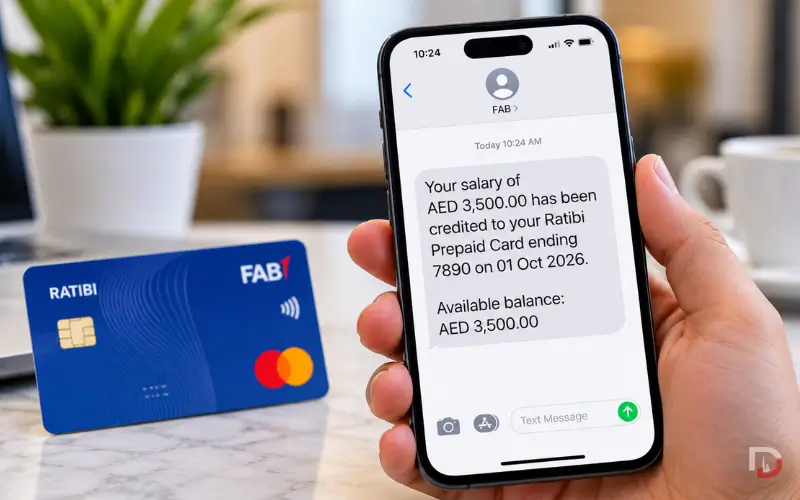
FAB lists free SMS alerts for salary credits among the Ratibi card’s benefits. When the service is active, a message can help you confirm that your wages have reached the card.
These alerts serve a different purpose from an SMS command that requests your current balance. FAB’s official information reviewed for this article does not establish a universal code for checking a Ratibi balance on demand.
Avoid sending messages to codes listed on unrelated websites unless FAB confirms that they work for your card. Use the official enquiry portal or contact the bank if you need your current balance.
How to Check Salary Status
Your card balance tells you how much money the enquiry service reports as available. It does not show whether your employer has submitted a salary payment or explain why an expected payment is missing.
If payday has passed and the money has not appeared, start with your employer’s payroll department. Ask whether the payment was submitted and whether the employee information sent to the bank is correct.
You can follow this order:
- Check the balance through Magnati or another supported service.
- Look for a salary-credit SMS on your registered mobile number.
- Ask HR or payroll to confirm the payment status.
- Check whether the employer needs to correct any employee or payroll details.
- Contact FAB if your employer confirms that the payment was sent.
Keep your expected payday, salary amount,unt and relevant payroll messages available when you contact the employer or bank. These details can help them trace the payment.
The cause of a missing salary can vary. Confirm the payment record first rather than assuming that the problem lies with the card or that a particular processing delay applies.
What Is a Ratibi Card?
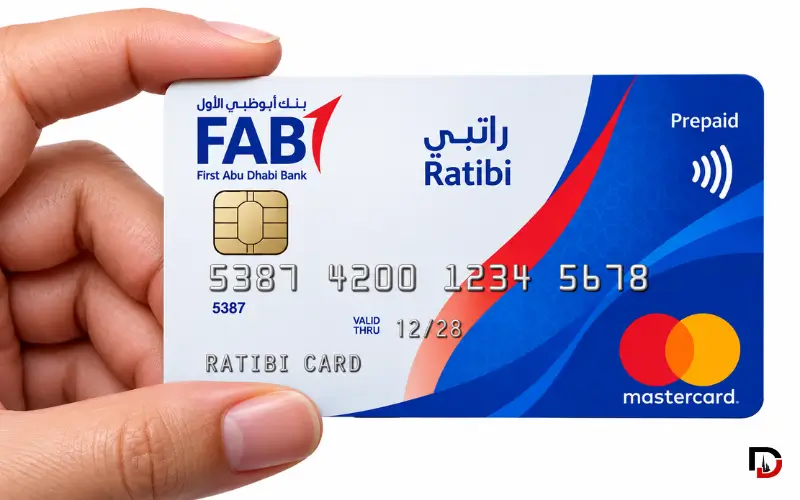
Ratibi is a prepaid payroll card issued by FAB for eligible employees in the UAE. Employers can use the programme to pay wages to workers who do not maintain a regular bank account.
FAB describes Ratibi as a payroll solution for eligible employees earning up to AED 5,000 per month. Its payroll services also support the UAE Wage Protection System (WPS). The bank provides information about non-WPS salary processing arrangements for eligible corporate customers.
Employees generally need to approach their employer to obtain a card. The employer arranges the relevant service with FAB and submits the required employee information.
Also Explore: FAB Prepaid Card
Eligibility and Salary Limit
FAB publishes several requirements for employers and employees using the Ratibi programme:
- The employer must hold a corporate account with FAB.
- The employee must be a UAE resident.
- The employee’s Know Your Customer (KYC) information must be complete and up to date.
- The programme is designed for eligible employees earning up to AED 5,000 per month.
The salary limit is only one part of the eligibility requirements. An employee cannot treat the online balance enquiry portal as an independent card application service.
If you are starting a new job or your employer has changed its salary-payment arrangements, ask HR or payroll whether the company uses FAB’s Ratibi programme.
Also Explore: 15 Best PPC Cards in UAE
How to Apply for a Card
Your employer’s HR or payroll team is the right place to start if you need a Ratibi card.
FAB’s published application process requires the employer to complete the relevant form and provide an employee details file. The employer submits the paperwork through the bank’s designated channels, which include specified branches and community banking branches.
FAB also offers an iBanking application for employers who need online card-management access. Employees should not confuse this corporate service with the Magnati portal used to check their own balance.
Benefits and Fees
Ratibi provides several features for eligible cardholders, according to FAB’s published product information.
| Feature | Published information |
| Regular bank account | Not required |
| Minimum balance | No minimum balance requirement |
| Monthly cardholder charges | FAB lists no monthly cardholder charges |
| Salary notifications | Free SMS alerts when salary is credited |
| Payments | Supported ATM, in-store and online transactions |
| International use | Visa or Mastercard network, depending on the card issued |
| PIN selection | Available at FAB ATMs |
| Accident insurance | Included subject to the bank’s terms |
A lack of monthly cardholder charges does not mean that every service is free. Foreign currency conversion, transactions at third-party ATMs and other services may carry fees or restrictions.
Check the latest terms for your particular card before making a transaction, especially when using it outside the UAE.
Personal Accident Insurance
FAB lists personal accident insurance among Ratibi’s published benefits. The bank provides the following limits for specified benefits:
| Benefit | Published limit |
| Accidental death or permanent total disability | Up to five times the monthly salary, capped at AED 25,000 |
| Hospitalisation following an accident | AED 50 per day for eligible hospitalisation lasting at least 24 hours, up to 30 days and AED 1,500 in total |
| Repatriation of mortal remains | Actual expenses up to AED 5,000 |
The policy’s conditions determine whether a claim qualifies. Exclusions, eligibility rules,ules and documentation requirements can affect payment, so the published limits should not be treated as guaranteed compensation.
Contact FAB to confirm the current policy terms and the steps required to make a claim.
Card ID and Card Number
The card number identifies your Ratibi payment card. The Card ID is a separate identifier that the Magnati enquiry form asks you to provide.
When the portal requests the last four card digits, enter those four digits in the relevant field and put the Card ID in its own field. If you cannot locate the identifier, check your card documents or ask FAB or your employer for assistance.
Keep your PIN, CVV, OTP, and online banking password private. Anyone offering to check your balance should not need you to disclose these security details. Follow FAB’s official verification process when speaking to customer support.
Common Balance-Check Problems
A failed enquiry can have several causes, including incorrect entries, an unreadable CAPTCHA, or a temporary problem with the service. It does not automatically mean that your card is blocked or that your salary has been cancelled.
Check the specific problem below before deciding what to do next.
Portal Not Working
If the page does not load, refresh it or try another browser. Switching between Wi-Fi and mobile data can also help you determine whether your internet connection is causing the problem.
If the service remains unavailable, try a supported ATM or contact FAB. Do not enter your card information on another website simply because it claims to offer the same enquiry service.
Incorrect Card ID or CAPTCHA
Check that the last four card digits and Card ID match the information requested by the form. A mistake in either field can stop the enquiry from working.
If the CAPTCHA is difficult to read, refresh it if the page offers that option and enter the new characters. If the portal continues to reject the details, stop guessing and contact FAB through an official support channel.
Zero Balance or an Outdated Balance
If the portal shows zero, first check that you selected the correct card and entered the required details accurately. A zero balance alone does not establish that your salary was cancelled.
When you expected a salary payment, ask your employer to confirm whether it was submitted. If payroll confirms the payment but the balance still looks wrong, contact FAB and explain what the enquiry service displays.
Salary Not Credited
Contact your employer’s payroll department and ask for confirmation of the payment status. Check whether the employer submitted the salary and used the correct employee information.
If the payment was sent, ask FAB to investigate. The employer and bank may need to review the payment records before they can identify the cause.
Lost, Blocked or Retained Card
Report a lost or unusable card to FAB as soon as possible. If an ATM retains the card, contact the bank and inform your employer if you need a replacement.
FAB’s published procedures state that a card confiscated by an ATM may be destroyed by the receiving bank. In that situation, the employer must apply for a replacement. Confirm the current process with FAB rather than assuming that the machine will return the card.
If you notice an unfamiliar transaction, report it through the bank’s official support channel. Never give your PIN or OTP to a third-party service claiming it can unblock your card.
What to Do If Your Employer Does Not Pay Your Salary
A missing balance and an unpaid salary require different checks. FAB can investigate card or payment problems, while your employer must address questions about payroll submission and its employment obligations.
If your employer does not resolve the issue, you may be able to contact the Ministry of Human Resources and Emiratisation (MOHRE). The appropriate process depends on your employment status, the applicable rule (s),s and whether your case falls within the ministry’s jurisdiction.
MOHRE lists 80084 as the number for its Labour Claims and Advisory Centre. You can also check the ministry’s official website or mobile app for the relevant complaint procedure.
Keep your employment contract, expected payday, payroll messages, and any payment records you have. These documents can help explain the problem, but a balance enquiry by itself does not establish whether your employer has breached its obligations.
Customer Support and Contact Numbers
If the online enquiry fails or your card has a problem, contact FAB through its published support channels. If your salary is missing, speak to your employer’s payroll team as well.
| Contact method | Details |
| UAE payroll-card support | 600 522 298 |
| International support | +971 2 499 6279 |
| Online balance enquiry | Magnati official portal |
| Card product information | FAB prepaid payroll card |
| Official contact directory | FAB Contact & Support |
| Digital wallet information | Payit official website |
FAB lists these numbers in its published contact information. Use the international number if you are calling from outside the UAE, and check the bank’s official contact page if you need another department.
Keep your card nearby if the bank needs to verify your identity. Do not disclose your PIN or OTP to another person during a support call.
Security Tips for Cardholders
Use the official FAB or Magnati service when checking your balance. A website appearing in search results does not mean that the bank operates it.
- Open FAB’s official website and follow its link to the balance enquiry service.
- Keep your PIN, CVV, OTP, and online banking password private.
- Avoid entering your full card details on third-party balance-check websites.
- Download wallet apps from their official app-store listings.
- Report a lost card or unfamiliar transaction to FAB promptly.
Check the website address before entering card information. If a page asks for sensitive details that the official enquiry process does not require, leave the site and contact the bank directly.
Final Thoughts
For a routine Ratibi balance check, start with the Magnati portal and enter the last four card digits and Card ID separately. If the enquiry does not work, try another supported method or contact FAB.
If your salary has not arrived, ask your employer to confirm the payment status before deciding what to do next. For an unresolved employment dispute, check MOHRE’s official complaint channels and follow the procedure that applies to your case.
Also Explore: FAB iSave Account
Frequently Asked Questions
1. How do I check my card balance online?
Visit the Magnati Prepaid Card Enquiry portal, enter your card’s last four digits and Card ID, complete the CAPTCHA, and select Go.
2. Can I check the balance without a bank account?
Yes. Eligible employees can receive their salary through a Ratibi prepaid card without opening a regular bank account. They can use supported balance enquiry services to check their funds.
3. What is the official balance-check website?
FAB directs Ratibi cardholders to the Magnati Prepaid Card Enquiry portal for online balance checks.
4. What is a Card ID?
A Card ID is a separate identifier required by the online enquiry form. Enter it in the Card ID field, not in the card number field.
5. Can I check my balance through Payit?
Payit supports balance tracking for eligible salary cards. Check the app’s current instructions to confirm whether your Ratibi card is supported.
6. Is SMS balance checking available?
FAB offers free SMS alerts when an eligible salary card receives a salary credit. This does not confirm that an on-demand SMS balance check is available.
7. Why is my salary not showing on the card?
Ask your employer to confirm that the salary payment was processed. If the payment was sent, contact FAB to check for a delay or card-related issue.
8. What should I do if the online enquiry fails?
Check your card details, Card ID, and CAPTCHA, then try again. If the problem continues, use a supported ATM or contact FAB for assistance.
9. Can I use the card at an ATM?
Yes. Insert your Ratibi card into a compatible ATM, enter your PIN, N and select Balance Inquiry. Check for any applicable transaction fees before proceeding.
10. What is the salary limit?
FAB describes Ratibi as a payroll solution for eligible employees earning up to AED 5,000 per month. Eligibility also depends on the employer’s arrangement and the required employee information.
11. Are there monthly maintenance charges?
FAB states that Ratibi has no minimum balance requirement and no monthly cardholder charges. Other transactions may have separate fees or conditions.
12. What number should I call for support?
Call 600 522 298 within the UAE or +971 2 499 6279 from abroad. You can also visit FAB’s official Contact & Support page.
13. Does the card include accident insurance?
Yes. FAB lists personal accident insurance for eligible cardholders, subject to policy conditions and coverage limits.
14. What happens if an ATM retains my card?
Contact FAB and inform your employer. If the ATM confiscates your card, FAB’s published procedure states that the card may be destroyed and your employer may need to request a replacement.
15. Where can I report an unpaid salary?
Ask your employer to confirm the payment status first. If the issue remains unresolved, contact MOHRE’s Labour Claims and Advisory Centre at 80084 or use the ministry’s official complaint channels.