





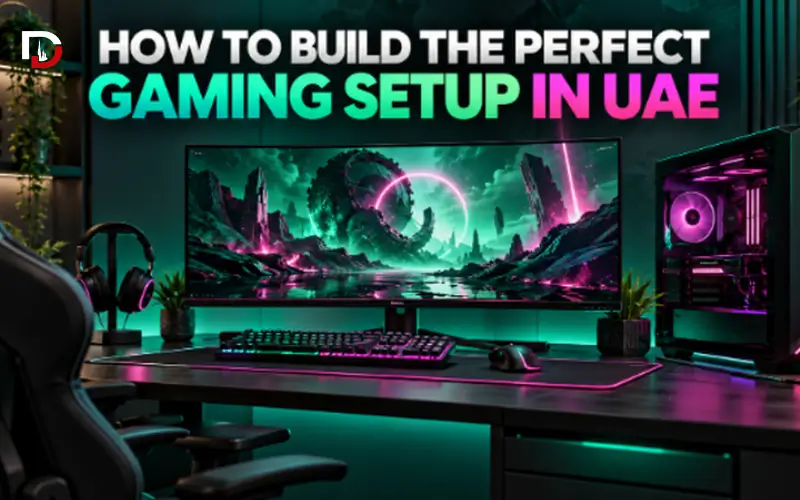
It is not just about setting up a powerful computer on a desk and connecting some RGB lights.It’s not simply just about putting a strong computer on a desk and attaching some RGB lights. The ideal setup should provide a smooth gaming experience, quick controls, and have sufficient space for the inclusion of new games and future expansions. The monitor, mouse, keyboard, audio gear, and other elements are still staples of the rig, just as the PC is; they all contribute to the fun of the whole affair.
For gamers comparing a Gaming PC UAE, the biggest challenge is usually deciding where the budget should go. Spending too much on appearance can mean compromising on performance, while putting the entire budget into the PC may leave little room for a suitable monitor and peripherals. The better approach is to treat the whole setup as one system and choose components that complement each other.
Start With the Gaming PC
Once you have decided on your computer’s performance level, select the accessories that fit. A gamer who enjoys competitive shooters like Valorant, Counter-Strike, or Fortnite might be more concerned with maintaining high frame rates, whereas a gamer who’s more into single-player experiences with more visuals would likely be more concerned about graphics quality and resolution. The monitor to be used also dictates the hardware requirements. Typically, you don’t need as much graphics power from a PC for 1080p gaming as you do for 1440p or 4K. That’s why it’s sometimes better to purchase the PC first and then the screen.
If you are comparing a Gaming PC UAE, take a look at the entire specification and not one outstanding component. The processor and the GPU should be matched, and memory, storage, cooling and power supply should be robust enough to support the system.
The GPU Should Match Your Gaming Goals
Graphics Processing Unit or GPU is one of the most crucial parts of a gaming computer. It takes care of a lot of the visual processing and plays a significant role in the frame-rate, graphics settings and comfortable game resolution.
Choosing a gaming graphics card should therefore start with your target resolution. A GPU that is perfectly suitable for 1080p gaming may not deliver the same experience at 4K, where considerably more graphics power is required.
Don’t necessarily purchase the most expensive graphics card possible; think about what you need. If you’re a competitive gamer on a high refresh 1080p monitor, you would want something that can offer stable frame rates, and if you’re playing cinematic games at 1440p, you’ll want something that can deliver high frame rates and high visual settings.
The processor is the other factor. An extremely powerful GPU combined with an inappropriate CPU could lead to an unbalanced combination while a high-end CPU used with a less capable graphics card could not deliver the ideal gaming experience.
Having a balanced CPU and GPU will generally give you a higher end for your money than to invest a majority of your funds in one component or the other.
Choose Your Gaming Resolution Early
One of the most straightforward methods for determining the power of your PC is with resolution.
1080p remains suitable for competitive gaming. This eliminates the need for a high-end GPU and adds less stress on it in order to get high frame rate without spending more money.
1440p offers a balanced compromise between resolution and performance, making it a common choice for gamers seeking a better image without sacrificing fluidity.
4K provides a much more detailed image and demands a lot more in the way of graphics power, especially when playing with high settings in modern games.
The GPU and monitor budget will be determined by choosing the resolution ahead of time. This also avoids you paying for performance you can’t see on your display.
Match the Monitor to the PC
You can have a great gaming PC but when you look at how the performance is going to look on the screen, it’s the monitor that makes the difference.
If you’re a competitive gamer, you might want to go with a high refresh rate display as it can enhance the smoothness and responsiveness of fast movements. Players who want to play solo might instead want to put emphasis on resolution, screen size and image quality.
When you’re comparing gaming monitors, take the following factors into account:
- Resolution Refresh rate
- Screen size
- Response time
- Available desk space
- The PC’s performance ability.
A high powered PC with a low end monitor can result in poor performance being wasted, and a top-of-the-line monitor with an entry-level PC can make the game have to be played on a lower setting. The monitor and gaming Pc should thus be designed collectively.
The monitor and gaming PC should therefore be planned together.
Choose the Right Gaming Mouse
If you use the mouse frequently, it’s also essential that it is comfortable and easy to use. There are a variety of different gaming mouse designs that you can select from in the UAE, including wired, wireless, lightweight, and more ergonomic options. Lighter mice can be easier to maneuver and make swift corrections to aims which is a preference of competitive FPS players. Some other players might opt for a bigger mouse that has more buttons they can program with.
Don’t consider the highest DPI number as the primary determinant of one mouse over the other. Most players play with much less sensitivity when they’re actually playing.
In general, the shape, weight, sensor consistency and placement of buttons play a bigger influence when using the product in everyday life.
When choosing a gaming mouse, consider:
- Hand size
- Grip style
- Mouse weight
- Wireless or wired, it’s a choice made by many.
- The number of buttons that can be programmed.
- The battery life of wireless models
The type of games you typically enjoy playing A mouse that fits your hand and style of play can be better than a more technically advanced mouse that is uncomfortable.
Wired or Wireless Mouse?
There are wired and wireless gaming mice, both of which can be very effective.
A wired model will have an easy plug-and-play connection, and it won’t require you to consider charging. It can also be a good way to get great value for those with limited budgets for gamers.
Wireless gaming mice give more freedom of activity and help to keep desks clean. This is beneficial for those who prefer to play with a less sensitive mouse and have to move it over a wider area.
With these modern wireless devices for gaming, it’s not so much about which is best, as it is about what you like more much.
If simplicity and value are key, opt for wired. Opt for wireless when mobility and a more hygienic environment are more important.
Do Not Forget the Mousepad
The mouse pad dictates the movements of a gaming mouse and how much control the player has when making small adjustments.
Certain surfaces offer greater resistance for controlled aiming and others offer greater speed. The size of the mouse pad is also important. Typically, low-sensitivity players will need more freedom of movement than high-sensitivity players.
For a full gaming station, an extended desk mat is helpful as it might offer a uniform surface for the mouse and keyboard and will safeguard the desk underneath.
Pick the Right Keyboard Size
Gaming keyboards come in a variety of layouts, but the largest is not necessarily the most convenient.
A full-size keyboard will have a number pad and other keys for use if the computer is also used for work. Tenkeyless and compact keyboards eliminate some parts that allow more room for mouse movement.
It may be useful for competitive gamers.
Mechanical keyboards are the gamers’ favorites, but it’s a matter of choice. Some players prefer keys that are smooth and quiet, others prefer keys that give more feedback.
The keyboard needs to be designed to match the size of the desk, the person’s gaming style, and any other tasks that are completed on the computer.The keyboard must be selected based on the size of the desk, the style of gaming and for other work conducted on the computer, not just for the RGB lights.
Plan Your RAM and Storage
While the GPU is the focus when talking about GPUs, other components such as RAM and storage also play a role in the experience.
In most game systems, 16 GB is a good initial memory. Those who use their computers heavily for multitasking, streaming or creative software along with games might want to go for the higher 32GB.
How much space the game library takes up is a major factor in how much storage is needed. Many configurations may start with a 1TB SSD, as modern titles can consume a lot of room.
Extra storage can also be easily added later, so those with a tight budget might want to focus more on the CPU and GPU power first.
Cooling Matters During Long Gaming Sessions
The powerful hardware generates heat, particularly when playing intense games.
The temperature should be allowed to rise and fall in a good case without undue hindrances. Too many fans wouldn’t necessarily make it cooler unless the airflow in the PC case is properly configured.
The CPU cooler must also be compatible with the CPU. While many gaming PCs can be air-cooled, higher performing processors might require a larger air cooler or liquid cooling solution.
Stable performance and control of fan noise is aided by good cooling.
Do Not Ignore the Power Supply
Although the power supply is not a direct enhancement of graphics or frame rates, it is a component that is hard to overlook.
A PSU must be capable of handling the current CPU and GPU and have some headroom for the future expansion. If you want to add a more powerful graphics card to the system, it is important to get a power supply that is capable of doing so.
Wattage is not the only important factor – quality is just as important. It’s better to use a reliable PSU with appropriate wattage than to go with a very high wattage just for the sake of it.
Build the Setup Around Comfort
The setup is great for gaming, but it should also be comfortable for extended periods.
The monitor should be at the right height and distance for viewing. The arms and shoulders should not be overstretched to use the keyboard and mouse, and there should be space for movement around the desk.
Prior to investing in a lot of fancy accessories try the basics:
- Comfortable seating position
- Correct monitor height
- Enough desk depth
- Provide sufficient area for mice to move around in.
- Accessibility – easy access to keyboard controls
- Organised cables
After workspace is comfortable, RGB lights and decoration items can be placed around the workspace.
Plan the Budget for the Entire Setup
A frequent error is buying the entire gaming tower and finding out that there’s little money left for the monitor and peripherals.
The gaming PC should naturally take up the bulk of your budget as it is what will give you the performance, but almost as significant is your monitor.
A good priority order may be:
- Gaming PC
- Monitor
- Gaming mouse & mouse pad
- Keyboard Headset or speakers
- Desk accessories
- Decorative lighting
This can vary based on what equipment you already have, but the most important factors are likely performance and usability over appearance.
Leave Space for Future Upgrades
You don’t need to put together a whole set up at once.
Later, storage can be increased, peripherals added on as needed, and the graphics card can be replaced as necessary to achieve the desired performance.
The original PC should simply refrain from putting up undue restrictions. For future upgrades it’s nice if you have a case that has enough room for the gpu, a motherboard that offers useful expansion options, and a power supply that has some headroom.
Planning for future improvements doesn’t imply the purchase of costly components that may not get utilized. It’s just a matter of providing space for the system to expand.
Common Gaming Setup Mistakes
- It is a situation where you have to purchase a high-performance GPU for a lower-end monitor.
- Spending too much on RGB lighting
- If professional players use it, so will you.If it’s used by professionals, you will use it too!
- Not following cooling and ventilation guidelines
- Purchasing the mouse without thinking about hand size Running out of SSD space.
- Choosing a low-quality power supply
- Forgetting about future upgrade options
Final Thoughts
Creating an ideal gaming setup in UAE doesn’t solely rely on the most expensive parts, it’s more about selecting the parts that complement each other.
Begin with a balanced Gaming PC UAE setup for your preferred video games and resolution. Specially focus on the GPU as it is a large component of gaming, but ensure that the processor, memory, storage and power supply are properly supporting it.
Connect a proper monitor and select peripherals based on the player’s preference. A comfortable, ergonomic keyboard and an appropriately structured gaming desk can greatly improve the experience without having to rely on top of the line.A comfortable gaming mouse in UAE, a comfortable keyboard, and a correctly arranged gaming desk can enhance the gaming experience significantly without the need to rely upon top of the line.
It is important to prioritize performance before usability, and then usability around the performance.