






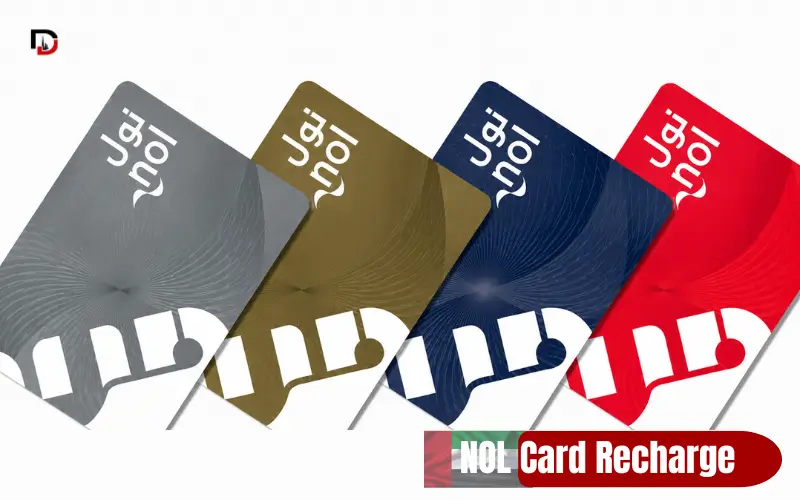
NOL card recharge keeps Dubai’s metro, bus, tram, and water bus network moving for millions of daily riders. As of 2026, the Roads and Transport Authority (RTA) offers both digital and physical top-up channels, each with its own specific limits and activation times. This guide walks through every recharge method available today.
NOL Card Recharge Quick Facts
| Detail | Information |
| Minimum online top-up | AED 5 via the RTA website or NOL Pay app |
| Maximum per online transaction | AED 150 |
| Minimum balance to travel | AED 7.50 must remain on the card |
| Maximum card balance | AED 1,000 (Red/anonymous card), AED 5,000 (Gold/personalised card) |
| Bank app recharge fee | AED 1 on most bank apps, including ADCB (per RTA-linked bank terms) |
| Balance activation time | Instant (NOL Pay tap, ticket counters, vending machines); 45 minutes to 4 hours (RTA website, RTA app, DubaiNow, Careem, bank apps) |
| Card types supported | Silver, Gold, Blue, and Virtual NOL Card (Red Ticket is single-use and not rechargeable) |
In short, online recharge starts at AED 5 and tops out at AED 150 per transaction, while your card must always carry at least AED 7.50 to start a journey. According to RTA-linked reporting, digital top-ups rose 20% in the first half of 2026 compared with the same period in 2025.
How to Recharge NOL Card Online Using the RTA Website
Follow these steps on the RTA website:
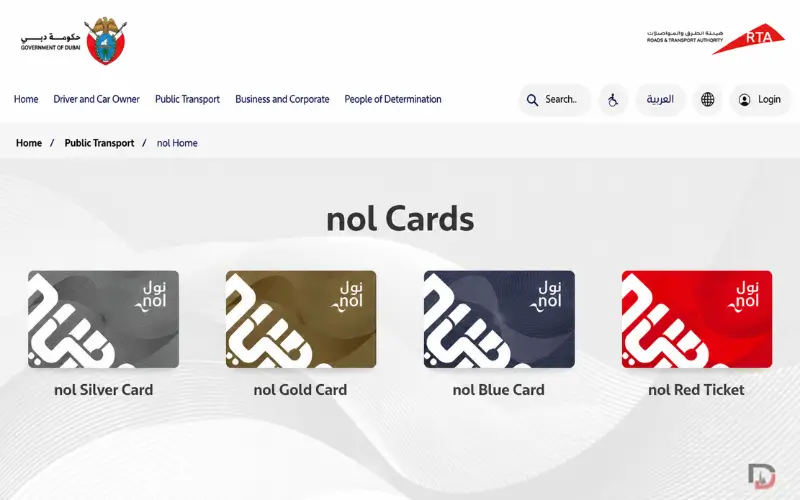
- Visit the RTA website and click on NOL Top Up (under Public Transport).
- Enter your NOL Tag ID, found on the back of your card beneath the barcode.
- Choose or type in the amount to be added (AED 5 to AED 150).
- Make payment using a debit or credit card and keep a copy of the receipt.
In short: enter the Tag ID, choose an amount, pay, then tap the card at a gate to activate it.
Must Explore: Salah Al Din Metro Station, Dubai
How to Top Up NOL Card Online with NOL Pay
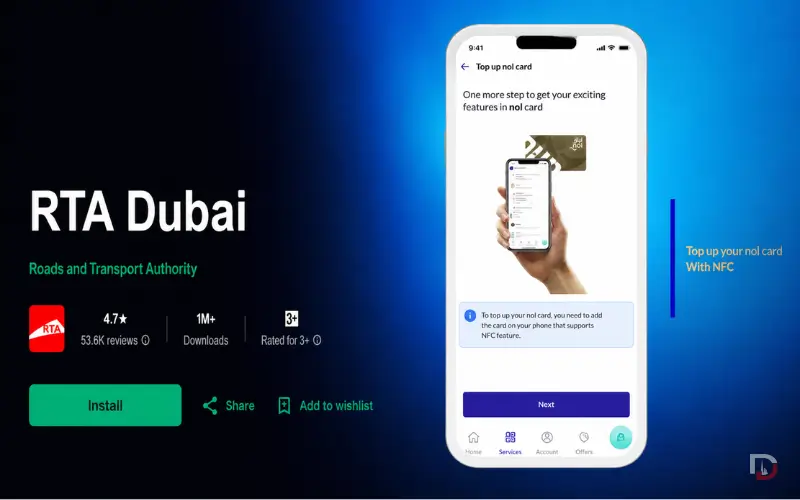
NOL Pay transforms any NFC-enabled device into a tap-to-recharge tool and is the only method that updates your balance instantly.
- Download NOL Pay from the App Store, Google Play, or Huawei App Gallery.
- Open the app and click on Top-Up NOL Card.
- Type in the amount, then hold the back of the NOL card against your phone until you hear a beep or feel it vibrate.
- There will be no pending window, and the new balance is applied instantly.
In short, NOL Pay is the only online method with zero wait time, since the transfer happens directly over NFC.
How to Recharge NOL Card Online Using the RTA Dubai App
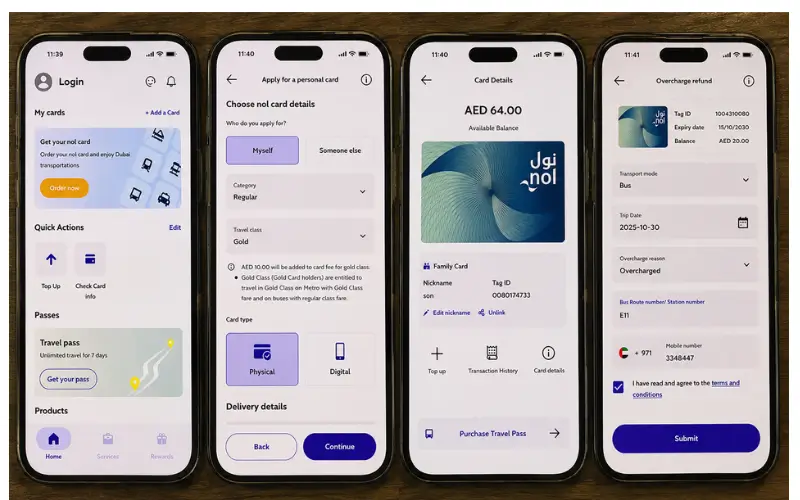
Steps to top up on the RTA Dubai app:
- Download the RTA Dubai app and log in using your UAE Pass account.
- Go to Public Transportation Users and click Top Up, NOL Card.
- Please input your card number and the amount you wish to transfer.
- Pay using your debit or credit card, or Apple’s or Samsung’s payment system.
How to Recharge NOL Card Online Using DubaiNow
Steps to top up on DubaiNow:
- Open the DubaiNow app and enter your UAE Pass details.
- On the main menu, tap Bills, then NOL.
- Choose the NOL card you wish to top up from your list of saved NOL cards.
- Enter the top-up amount and confirm the payment to complete the transaction.
How to Recharge NOL Card Online Using Careem
Careem has gone beyond rides and introduced bill payments too, and even offers the possibility to top up your NOL card directly from within the app.
- Tap on the Careem app and select All Services on the Home screen.
- Tap Bills & Recharge and choose NOL.
- Enter your NOL Tag ID and tap Add Account.
- Fill in the amount to pay, and top up with Careem Pay or a connected bank card.
How to Recharge NOL Card Using Bank Apps
Emirates NBD, Emirates Islamic, and ADCB customers can recharge a NOL card directly from mobile or online banking, without opening a separate transport app.
- Go to the bank’s app, tap bill payments, and then select NOL or RTA Recharge.
- Fill in your NOL Tag and the amount, usually at least AED 20.
- Confirm using your PIN or biometrics; ADCB and a few other banks charge an additional AED 1 service fee.
- A recharge can also be made using the ATMs and Cash Deposit Machines available to Emirates NBD customers.
Also Explore: FAB Balance Check guide
How to Recharge NOL Card Using Digital Wallets
Because the wallet acts as the card, it can be topped up just like NOL Pay, using a virtual NOL Card connected to Apple Pay, Google Wallet, or Samsung Wallet.
- Go into the wallet and choose the virtual NOL Card.
- Tap Top Up and type in the amount.
- Authenticate with Face ID, fingerprint, or passcode to verify.
How to Recharge NOL Card at Metro Ticket Vending Machines
Steps at any metro or tram station:
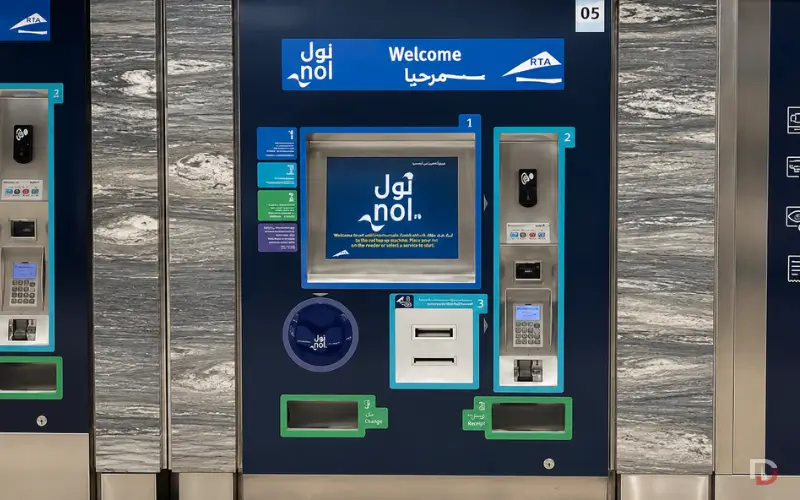
- Slide the NOL card into the card reader of the vending machine.
- On the touch screen, hit the Top Up button.
- Select the top-up amount and pay using cash or a card.
- Once the screen confirms the recharge, pick up the card.
Must Explore: Al Rigga Metro Station Dubai
How to Recharge NOL Card at Bus Station Solar Top-Up Machines
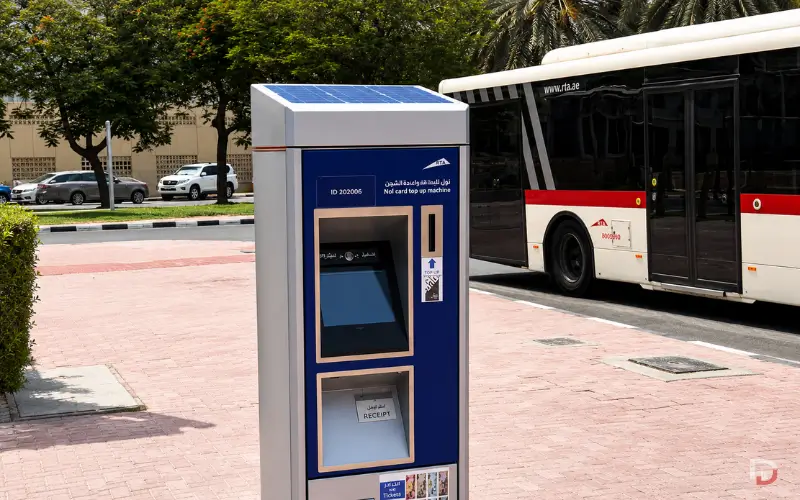
RTA has installed solar-powered top-up machines at designated bus shelters, powered by the sun. These run on renewable energy and offer a cash-only option away from metro stations.
- Find a solar-powered top-up machine at a bus stop.
- Insert the NOL card and select recharge.
- Insert small change into the machine and confirm the amount.
- Take out the card after the transaction is done; the balance is immediately active.
Must Explore: Abu Dhabi Bus Station
How to Recharge NOL Card at Ticket Counters and RTA Smart Kiosks
For hands-on assistance, or if the card does not read at a machine:
- At ticket counters, present your NOL card, inform the station agent of the amount you are paying, pay by cash or card, and get instant activation.
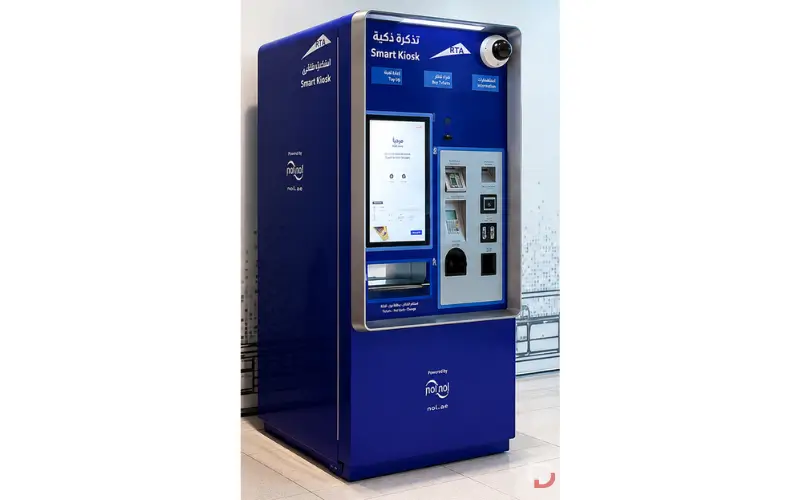
- Smart kiosks: insert the card, follow the on-screen prompts, select the amount, and pay with cash or card.
Both options are helpful to tourists or those who are new to using a digital account with the RTA.
How to Activate a Pending NOL Card Balance
Every online recharge, except NOL Pay, comes as a pending balance for 45 minutes to 4 hours before it can be used.
- Tap the card at any metro gate before boarding.
- Tap the card at the bus validator when boarding the bus.
- Tap the card at the parking payment machine or the solar top-up machine.
All these taps push the card to sync with the RTA system and pull down the new balance.
Online vs Offline NOL Recharge
| Factor | Online Recharge | Offline Recharge |
| Speed to activate | 45 min to 4 hours (except NOL Pay) | Instant |
| Best for | Recharging in advance, from home | Topping up right before travel |
| Payment options | Card, Apple/Google/Samsung Pay | Cash or card |
| Extra fee | AED 1 on some bank apps | None |
Choose online recharge when planning from home or office; choose offline recharge when you need the balance active the moment you tap the gate.
Common NOL Recharge Errors and Fixes
Quick fixes for the most frequent recharge problems:
- If payment has been deducted but the balance is not updated, tap the card at a metro gate or bus validator to sync it.
- If you see “Invalid NOL Tag ID,” recheck the number printed on the back of the card below the barcode, and enter it without spaces.
- If the recharge still does not show after 4 hours, tap the card at any gate first, then contact RTA support.
- Card not accepted at the gate after a top-up: make sure the card is not expired and has not reached the maximum balance limit.
- Bank app shows a deduction without confirmation: wait 24 hours for an automatic reversal, or raise a dispute with the bank.
How to Check NOL Card Balance
Before topping up, it helps to confirm your current balance. How to check NOL card balance has three quick options that all take under a minute.
- Access the NOL Balance Check page on the RTA website or RTA Dubai app and input your Tag ID.
- Send an SMS with ‘NOL’ to 5111 from your registered mobile number.
- At the metro gates and ticket machines, the screen shows the balance the moment you tap the card.
Regularly checking your balance helps avoid the common mistake of being stopped at the gate mid-journey without enough money.
Must Explore: SEWA Bill Check Online
NOL Card Recharge Limits and Card Types
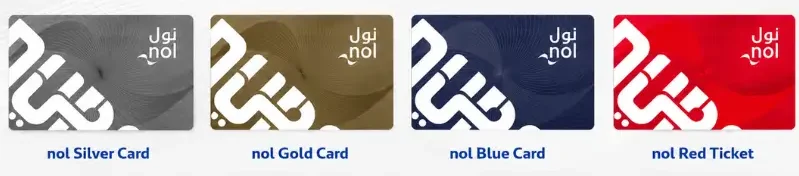
Recharge limits differ slightly by card type. Silver, Gold, and Blue NOL cards all support the same online and offline top-up options, but the disposable Red Ticket can only be used once and must be repurchased for each trip.
Red or anonymous NOL cards have a stored-value limit of AED 1,000, while Gold cards, which are personalised with your name, have a limit of AED 5,000, useful if you top up less often.
Must Explore: FAB Prepaid Card Types
NOL Card Balance Activation Times by Method
| Recharge Method | Activation Time |
| NOL Pay app (NFC tap) | Instant |
| Ticket counter, vending machine, or kiosk | Instant |
| Solar top-up machine | Instant |
| RTA website or RTA Dubai app | 45 minutes to 4 hours (pending until tapped) |
| DubaiNow, Careem, bank apps | 45 minutes to 4 hours (pending until tapped) |
If you are heading straight to the metro after paying online, tap your card at the gate first; this pulls the pending balance onto the card before your journey.
Frequently Asked Questions
What is the minimum amount to recharge a NOL card online?
The minimum online top-up through the RTA website or NOL Pay app is AED 5.
How long does an online NOL card recharge take to activate?
Online top-ups typically stay pending for 45 minutes to 4 hours until you tap the card at a gate or validator.
Can I recharge my NOL card without an RTA account?
Yes, ticket vending machines, staffed ticket counters, and kiosks all let you top up with cash or card without registering online.
How do I recharge a NOL card using the NOL Pay app?
Open NOL Pay, tap Top-Up NOL Card, and hold your phone against the card to recharge it instantly.
Can I recharge my NOL card using DubaiNow?
Yes, log in with UAE Pass, open the Bills section, select NOL, pick your card, and enter the top-up amount.
Can I recharge my NOL card through Careem?
Yes, open the Careem app, tap Bills and Recharge, then NOL, enter your card details, and pay via Careem Pay or a linked card.
Which banks let me recharge my NOL card directly?
Emirates NBD, Emirates Islamic, and ADCB customers can recharge directly through mobile or online banking.
Is there a maximum balance limit on a anOL card?
Yes, Red or anonymous cards can hold up to AED 1,000, while Gold or personalised cards can hold up to AED 5,000.
Why is my NOL card recharge not showing on the card?
The balance is likely still pending; tap the card at a metro gate, bus validator, or parking machine to sync it.
What is the minimum recharge amount at a ticket counter?
Ticket counters and vending machines generally accept lower denominations than the AED 5 online minimum, though exact change requirements vary by location.
Does the Red Ticket NOL card support recharging?
No, the Red Ticket is a one-time-use card that cannot be reloaded.
Which NOL recharge method is fastest?
NOL Pay is the fastest, since it has no pending window and updates the card balance instantly over NFC.
|
|